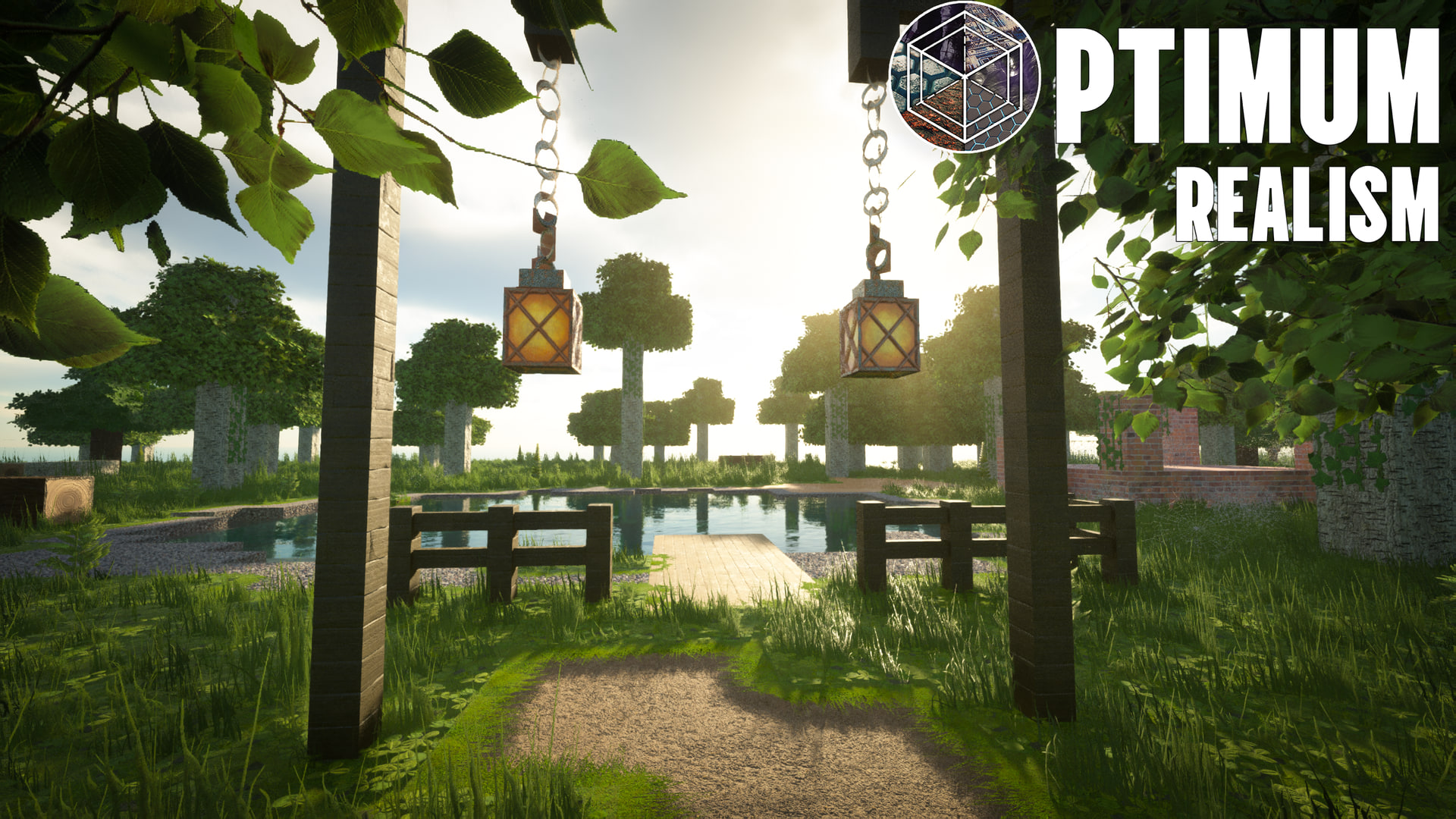
Optimum Realism is a realistic Minecraft texture pack for both Minecraft Java Edition and Bedrock RTX — a realistic resource pack that replaces vanilla blocks with their real-life counterparts, carefully balanced for both performance and quality. With over 3 million downloads, it's one of the most popular ultra realistic Minecraft texture packs you can download today.
Built around full PBR materials, LabPBR specular workflow, and depth-write POM, the pack is designed to look photorealistic under shaders without tanking your frame rate. The complete 64x version is a free download for Java and Bedrock — no demo, no locked content.
Why Optimum Realism beats other realistic texture packs
Most realistic Minecraft texture packs achieve stunning visuals at the cost of performance. Optimum Realism aims for both — and largely succeeds. Here's what sets it apart from packs like Stay True, John Smith Legacy, or Faithful 64x:
True PBR with LabPBR
Full Physically Based Rendering using the LabPBR standard. Materials respond to light correctly — metals reflect, water refracts, lanterns glow. This is the standard for realistic shaders like Complementary, SEUS, and BSL.
Depth-Write POM
Parallax Occlusion Mapping with depth writing — textures actually interact with each other. Sand fills the crevices in wooden planks. Water sits in the grooves of stone. This is rare even in premium packs.
Performance-First Design
Runs on a GTX 1050 at 512x with playable FPS when paired with Iris + Sodium. Most realistic packs at this resolution require an RTX card or worse — Optimum Realism doesn't.
Java + Bedrock RTX
One pack, two editions. Java Edition uses traditional PBR shaders. Bedrock Edition uses native NVIDIA RTX ray tracing for real-time lighting and reflections.
Free at 64x
The complete pack — every block, every biome, every texture — is available for free at 64x resolution. No locked content, no demo. Higher resolutions (128x to 512x) are available via Patreon.
Active Updates
Regular updates with new blocks, bug fixes, and compatibility for the latest Minecraft versions. Not a "release once and forget" pack — Optimum Realism is actively maintained.
How Optimum Realism compares to other realistic Minecraft texture packs
| Feature | Optimum Realism | Stay True | Faithful 64x | Vanilla |
|---|---|---|---|---|
| PBR + LabPBR | ✅ | ❌ | ❌ | ❌ |
| Depth-Write POM | ✅ | ❌ | ❌ | ❌ |
| Free version | ✅ Full pack at 64x | ✅ | ✅ | — |
| Java + Bedrock | ✅ Both | Java only | Java only | Both |
| Bedrock RTX | ✅ | ❌ | ❌ | ❌ |
| Up to 512x | ✅ | 32x | ❌ | 16x |
| Performance focus | ✅ | ✅ | ✅ | ✅ |
Realistic Minecraft Texture Pack FAQ
What is the most realistic Minecraft texture pack?
Optimum Realism is widely considered the most realistic Minecraft texture pack with full PBR support — it includes 690+ PBR materials, depth-write Parallax Occlusion Mapping, and works with Java Edition shaders (Iris/Sodium/OptiFine) and native Bedrock RTX. Other realistic options like Faithful and Stay True exist, but Optimum Realism is the only one combining true PBR + Bedrock RTX + a free 64x version.
Is there a free realistic Minecraft texture pack?
Yes — Optimum Realism's full 64x pack is completely free. Every block, biome, and entity is included. Higher resolutions (128x, 256x, 512x) are available via Patreon for sharper textures, but the free 64x has the same features.
How do I download a realistic Minecraft texture pack?
For Java Edition: download the .zip from this site, drop it in .minecraft/resourcepacks/, and select it in Options → Resource Packs. For Bedrock Edition: double-click the .mcpack file to import it, then enable it under Settings → Global Resources. Full step-by-step installation guide here.
Does Optimum Realism work with Minecraft Bedrock?
Yes — there's a dedicated Bedrock RTX version that uses native NVIDIA ray tracing for real-time lighting and reflections. You'll need Windows 10/11, an RTX 2060 or newer GPU, and ray tracing enabled in the world settings. Bedrock RTX is free at 64x just like Java.
What's the difference between a realistic texture pack and a resource pack?
The terms are interchangeable. Mojang renamed "texture packs" to "resource packs" in 2013 because modern packs include more than textures — they can include sounds, fonts, custom models, and shader-compatible material data. A "realistic resource pack" is the same as a "realistic texture pack" — just more accurate terminology.
What shaders work best with Optimum Realism?
Any LabPBR-compatible shader: Complementary Reimagined, SEUS PTGI HRR, BSL, Kappa, Sundial. Optimum Realism's PBR materials are designed to work with all of them. For maximum realism, SEUS PTGI HRR or Sundial Alpha give the most cinematic results — but they require strong hardware.
Can my PC run a realistic Minecraft texture pack at 512x?
For 512x with shaders, you'll want at least a GTX 1660 or RTX 2060 with 16 GB RAM. The 64x and 128x versions run on much weaker hardware — a GTX 1050 handles 128x with shaders comfortably. Optimum Realism is specifically tuned for performance compared to other realistic packs at the same resolution.
Is Optimum Realism updated regularly?
Yes — actively maintained with regular updates for new Minecraft versions, new blocks, and shader compatibility fixes. The pack has been in development since 2021 and currently has over 3 million downloads across editions.
See the realism in action
Real screenshots, real shaders, real Minecraft worlds:


Realistic Minecraft texture pack for Bedrock RTX
Looking for a realistic Minecraft Bedrock texture pack? Optimum Realism ships a dedicated Bedrock RTX edition that uses native NVIDIA ray tracing for real-time lighting, reflections, and global illumination — not a Java port. On an RTX 2060 or newer with ray tracing enabled, it's one of the most realistic Bedrock packs available, and it's free at 64x just like Java. Download the Bedrock RTX edition →
Is Optimum Realism a photorealistic / 4K texture pack?
Yes — under shaders, Optimum Realism is photorealistic, and the premium 512x tier delivers effectively 4K-class texture detail for cinematic renders and screenshots. But realism in Minecraft isn't just about resolution.
What makes a Minecraft texture pack actually realistic?
Realism in Minecraft isn't just about high-resolution textures. A 4K texture without proper material data still looks flat under shaders. Real realism requires:
- PBR (Physically Based Rendering) — separate maps for base color, normal, specular, and roughness
- LabPBR format — the industry-standard workflow that modern shaders understand
- POM (Parallax Occlusion Mapping) — gives flat textures real depth and 3D illusion
- Emissive maps — blocks like lanterns, lava, and glowstone actually emit light
- Connected textures — glass, bookshelves, and other blocks blend seamlessly
- Custom entity models — mobs and items get realistic upgrades, not just textures
Optimum Realism includes all six. Most "realistic" packs only check 2-3 of these boxes.
What you need to run Optimum Realism
Java Edition (recommended)
- Minecraft 1.16+
- Iris + Fabric (or OptiFine)
- Sodium for performance
- A LabPBR-compatible shader (Complementary, SEUS, BSL, Kappa, Sundial)
- 4-8 GB RAM allocated
- GTX 1050 or better for higher resolutions
Bedrock RTX
- Windows 10/11
- NVIDIA RTX 2060 or newer
- DirectX Raytracing (DXR) support
- Ray tracing enabled in world settings
Available resolutions
The complete pack. Every texture, every biome. Perfect entry point.
2× sharper. Notably crisper textures up close.
The recommended balance of detail and performance.
Maximum fidelity for cinematic renders and screenshots.
All resolutions include the same textures and features — you're only choosing how sharp they are. Higher resolutions need more RAM and a stronger GPU.
Get the most realistic Minecraft texture pack today
Start with the free 64x version. Upgrade anytime if you want sharper textures.